SimpleHue Control Chrome Extension Workaround for Hue Bridge V2 API

After updating to the version 13.0.0 of the SimpleHue Control Chrome Extension, probably you started experiences issues. Unfortunately, the root cause lies with Philips Hue itself. Their SSL certificates are currently broken, rendering many Hue integrations (including the SimpleHue Control Chrome Extension) unable to communicate properly with the Bridge.
Version 13.0.1 of the SimpleHue Control Chrome Extension allows the user to select between API V1 or API V2
- API V1: Compatible with older bridges.
- API V2: Compatible with Hue Bridge Pro and older bridges, but we must follow the workaround in this article.
Workaround for API V2.
In this workaround we are going to tell the web browser to trust the self-signed certificate of the Hue Bridge. Your browser will display security warnings like the one shown in the image below.
These warnings can be safely ignored in this case, since the IP address you are connecting to belongs to your own Hue Bridge on your local network.
- Open your browser and type
https://<ip-address-of-your-bridge>, you will see the security warning as the image below.
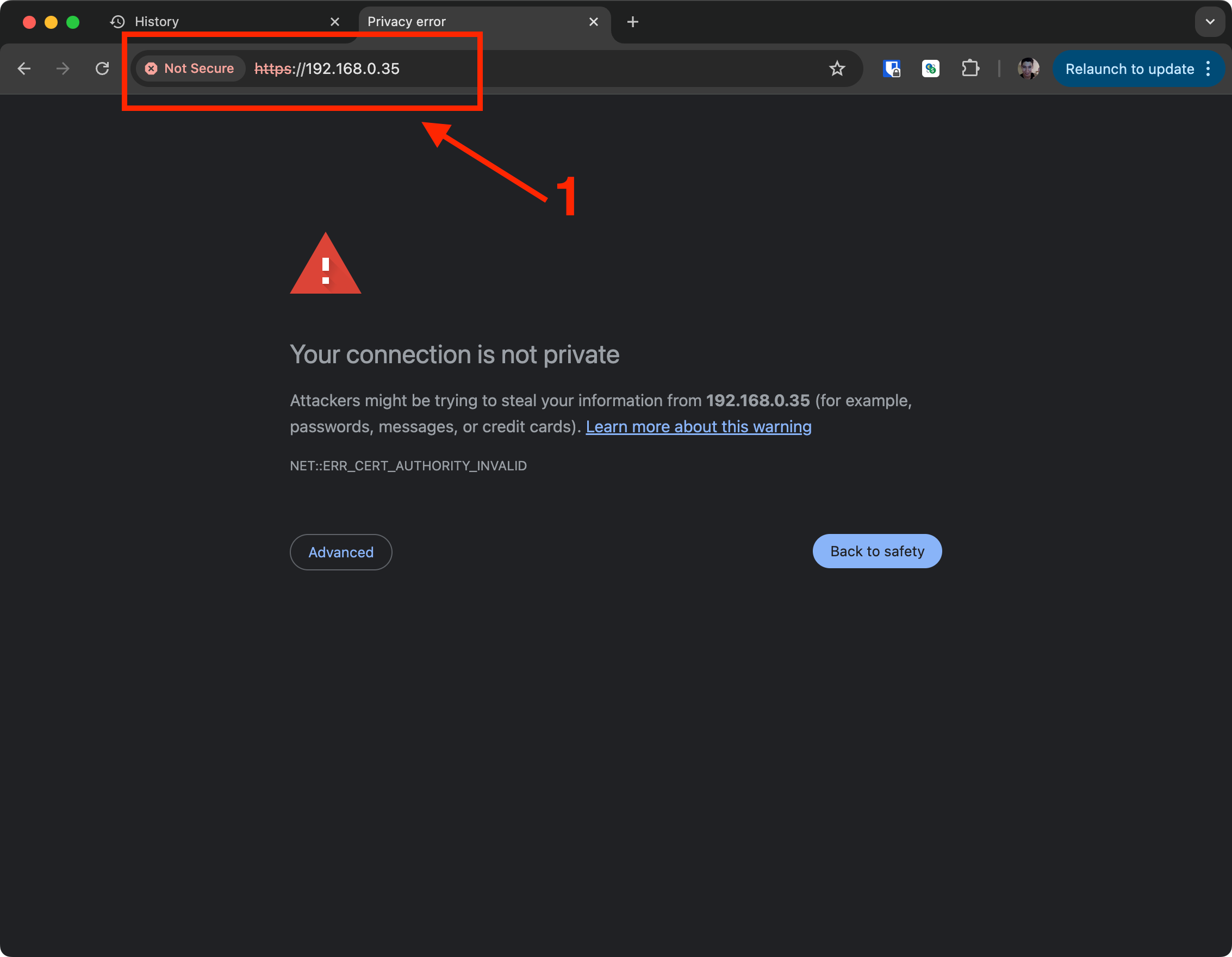
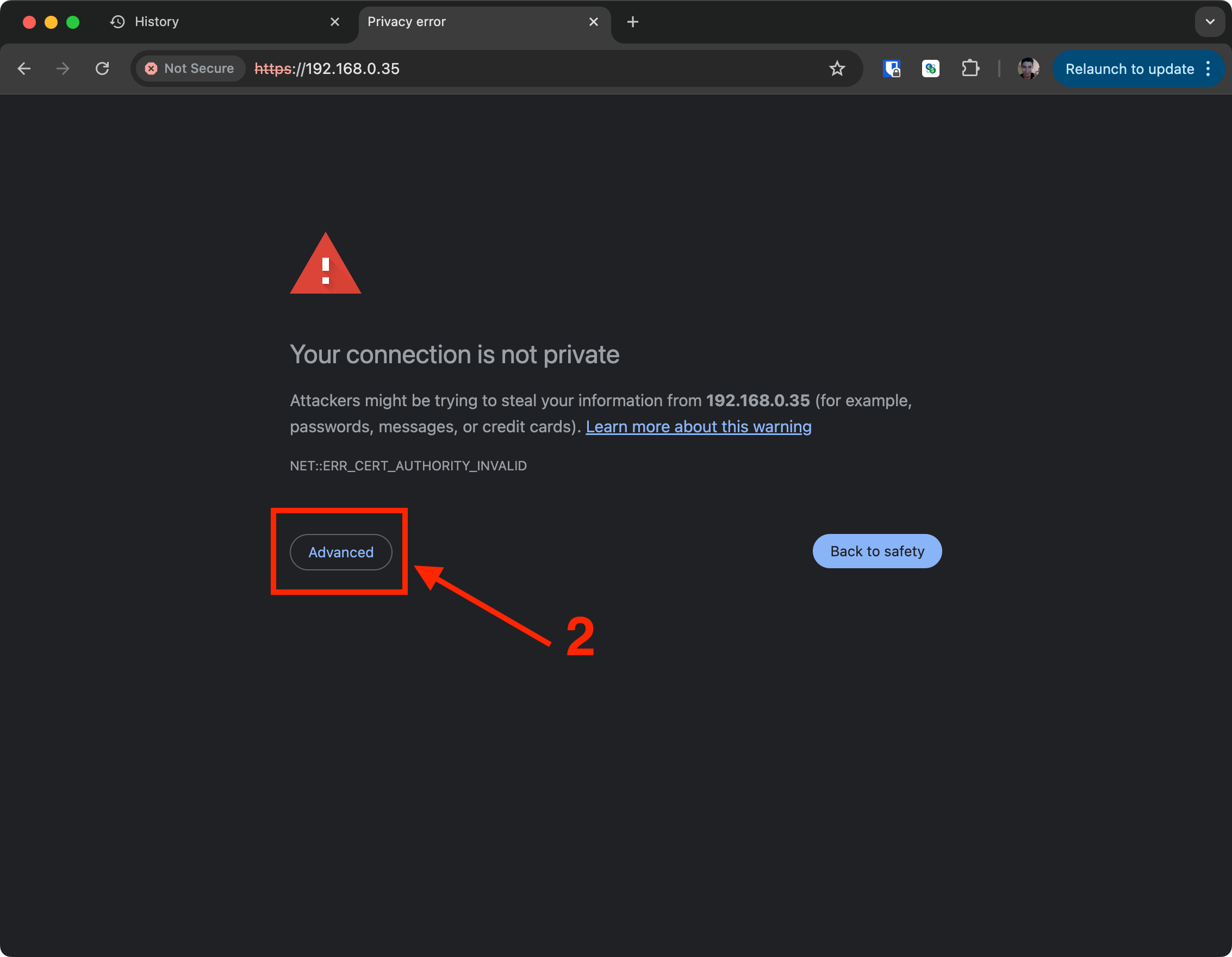
- Click on the Advanced button.
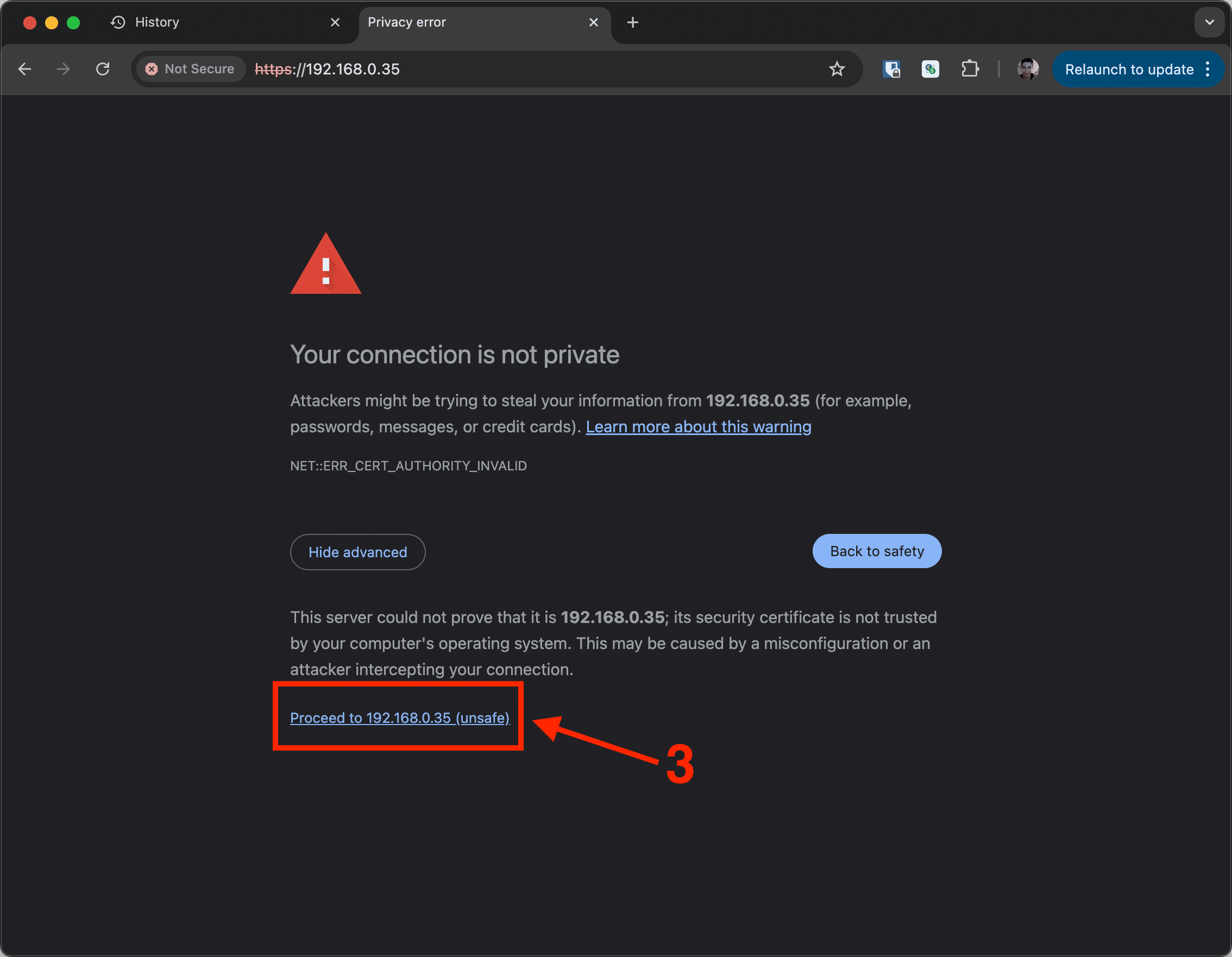
- Click on the Proceed to
<ip-address-of-your-bridge>(unsafe) button.
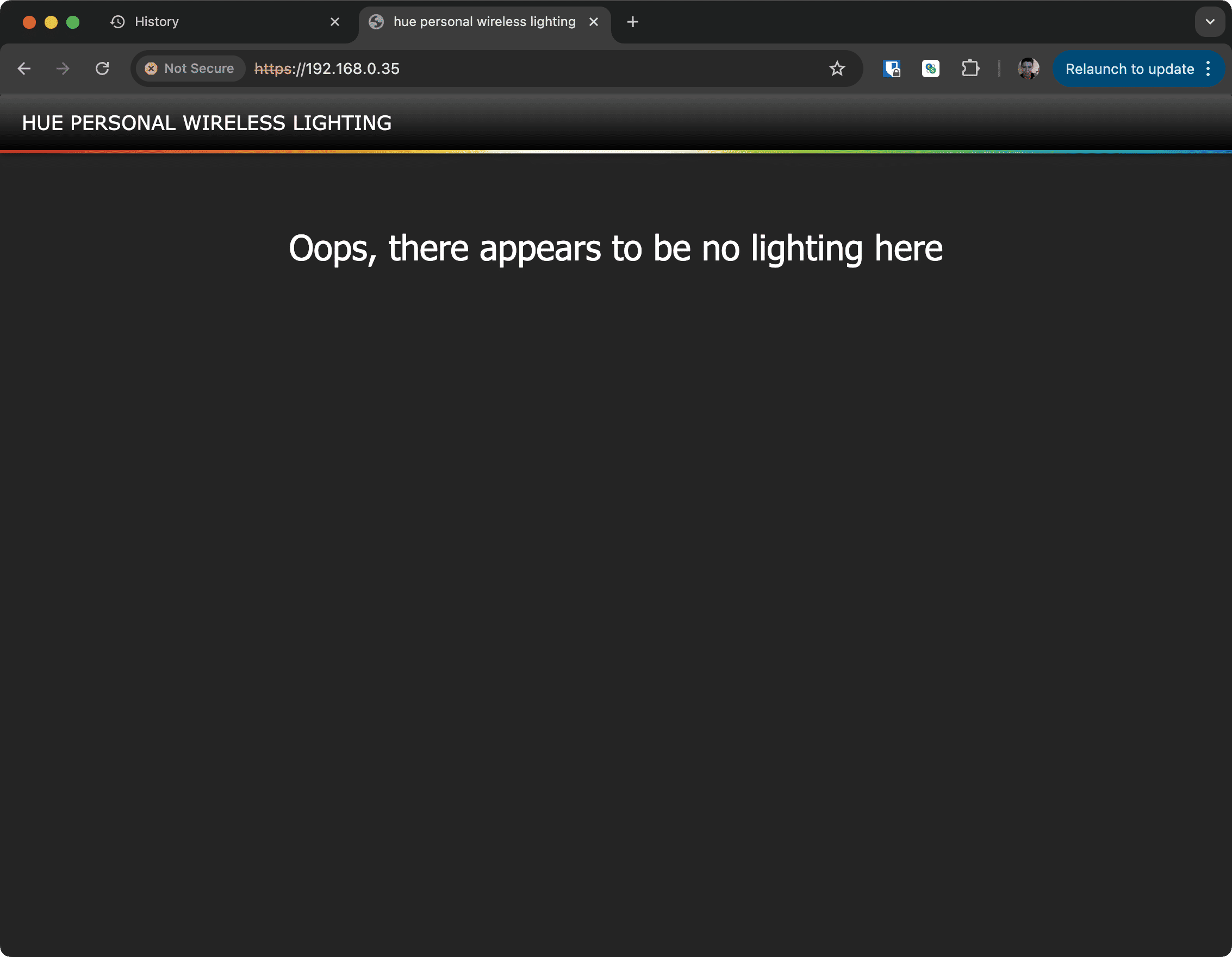
- You will see the following website of your Hue Bridge. It means that the certificate is trusted.
- Now you can open the extension SimpleHue Control Chrome Extension and register your Hue Bridge as usual

- ⚠️If adding the Hue Bridge still fails. You can try to open your browser and
type
https://<ip-address-of-your-bridge>/apiand follow steps 1 to 3 again, and you will see the following website

Conclusion
This workaround lets you continue using your Hue Bridge safely until Philips releases an official fix. By manually trusting the Bridge’s self-signed certificate, you’re simply allowing your browser to recognize your own local device, not exposing yourself to any external risk.